The Pedagogic value of Live Coding: Computer Science
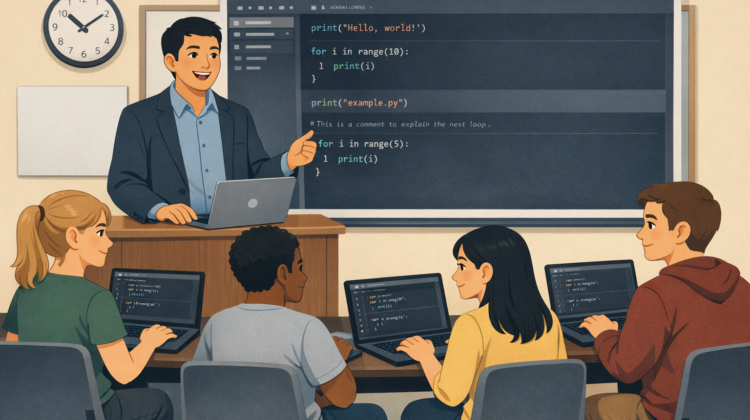
Live coding—where instructors write and execute code in real time while verbalising their thinking—has become an increasingly prominent teaching strategy in STEM disciplines, particularly computer science. It is typically framed as an active learning method that exposes students to authentic problem-solving, debugging, and iterative development practices. This paper reviews the effectiveness of live coding in higher education, with a focus on structured pedagogical models and scalable approaches suitable for large, campus-based cohorts.
Gareth Henshall – Computer Science
Firstly, can you provide a bit of context to what and who you are teaching (nature of unit, code language, year group, size of cohort)
This is an introductory programming unit for first year computer science students. We teach using Python. The unit covers the entire first year. Cohort sizes for the past 3 AYs are:
- 2025/26 – 364
- 2024/25 – 392
- 2023/24 – 288
Do the Students have prior knowledge of Coding? (do you run diagnostic tests? is the unit based on a prior unit?)
Sometimes, there is no pre-requisite or prior knowledge required to take this course unit. However, many of our student often have considerable knowledge when they arrive. The unit assumes no knowledge and builds quickly from there. Our lab sessions however, have different levels for students to tackle. We offer both detailed & vague versions of the same script, to allow for those with experience to challenge themselves a bit.
Why do you run a Live Coding sessions as opposed to a Lecture & Tutorial type format? If not super focussed on Live Coding, how did you decide on the format of teaching and why does it work well for teaching coding?
Because the Lecture did not work. Attendance was < 10% and as such we tried to offer alternative methods. By running live code sessions, students could code along side us, see natural mistakes made and how to fix them in real time. We found it also helped to give the lesser experienced students more confidence as they could see that one does not simply write code and get it right first time. Mistakes are inevitable.
What are the main skills you expect students to learn throughout the Live Coding sessions?
This depends on the sessions. Some are coding principle specific (e.g. loops, conditionals or functions) and some are more high level looking at debugging, error handling or running larger applications.
How are you assessing your students? (Formative & Summative, do you explicitly test their programming ability or is it inherent to the assessment?)
Both, we have 1 formative piece which gives them a feel for how some summative coursework will go. And then they were assessed through 3 individual programming coursework (+ exam). We explicitly test their programming ability. 2 of the summative are automatically marked using unit testing in Gradescope, these only consider whether the students code was able to produce the correct outputs or not depending on some input. The 3rd piece is a larger scale refactoring exercise where by students are given a large code base and asked to find, Fix & report about bugs in the code. This is then assessed through their Git repo, a submitted report and a Q&A (to check understanding)
How do you plan each session? Do you pre-write code or improvise? How do you incorporate theory and background into the sessions (or do you?)
I typically produce a script and test all of my code beforehand to ensure I know what to do as I go along. However, I tend to build in deliberate mistakes to aid discussion points. I also prompt students to correct my ”mistakes” when they are made. We tend to keep the theory as a separate topic through pre-recorded videos on Canvas.
What programming tools or environments do you use for live coding? How do you ensure all students have a consistent set up? Do you provide support for students who may not have used these tools before?
I use either VS Code or Sublime Text depending on how far into the semester we are. Early on I use a simply Sublime + Terminal set up as this is the easiest for students to get up and running. Before switching to an IDE (VS Code) later on. We also have a lecture which discusses the difference between text editors & IDEs and the pro’s/con’s of each. We offer support for both Sublime & VS Code but not others. These are our recommend tools, if they choose to use something else we can assist but it may take longer.
How do you ensure each student has a consistent set-up? (lecture with personal devices, computer cluster or something else?)
We don’t. We tell them which version of Python is required for the coursework and then they can decide on the rest themselves. What is the room set up in a live coding session (e.g. flat room, students on laptops or cluster, teachers code on projector/2nd monitor), are students working in groups/duo’s/individually? Do you have GTA support – if so what role do they play in the sessions
Due to cohort size we use a lecture theatre, where we project our laptops onto the main screens. They are welcome to code in real time with us if they have access to a laptop. There is not GTA support for these sessions.
How do you pace the sessions? Are students working at the same time as you or do you split the sessions to instructor led then student led sections. How do support the mixed abilities within the classroom?
As this is a cohort wide session we have to stick to a consistent pace but encourage students to attend the drop-in sessions should they have more individualised questions or was an in depth discussion about the topic.
What is your approach to trouble-shooting & de-bugging? Do you purposefully introduce errors? How do students react when their own coding doesn’t work.
We plan errors into the sessions. We actively teach debugging and error handling as topics so students because very well versed in these ideas.
What is the biggest challenge you face when Live coding? How have you modified your approach to live coding since you started these sessions?
Typically, screen resolution. We often have to zoom in quite far which only then allows for limited on screen code which can be problematic. I used to over plan the sessions and get flustered when things went wrong. Whereas now, I use more of a scaffolding script and then allow for natural progression through the session.
What advice would you give for someone interested in starting live coding to support their teaching?
Embrace the mistakes. We all make typo’s even when writing a simple message on teams from the comfort of our own home. So to type in-front of a room full of students is quite pressured and mistakes will happen. I ususally say to the students at the start something like:
“I am going to make some deliberate mistakes in my code so that we can look at errors. I will also make some non-deliberate mistakes, but being the true professional I am you will not know which is which…”
By doing this, it eases both myself & students into the session.
Thanks to Gareth for sharing his experiences.
The Pedagogical Value of Live Coding – Overview
The Pedagogical Value of Live Coding – Case Study: Chemical Engineering
The Pedagogical Value of Live Coding – Case Study: Civil Engineering
The Pedagogic Value of Live Coding – Case Study: Physics and Astronomy