The pedagogic value of Live Coding: Case Study – Civil Engineering
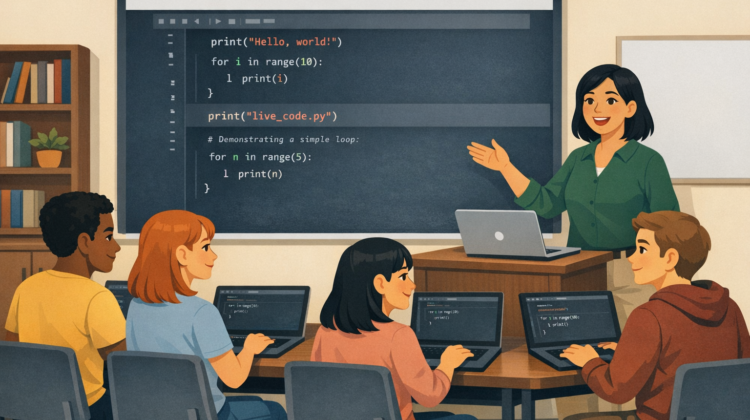
Live coding—where instructors write and execute code in real time while verbalising their thinking—has become an increasingly prominent teaching strategy in STEM disciplines, particularly computer science. It is typically framed as an active learning method that exposes students to authentic problem-solving, debugging, and iterative development practices. This paper reviews the effectiveness of live coding in higher education, with a focus on structured pedagogical models and scalable approaches suitable for large, campus-based cohorts.
Liz Lewis – Civil Engineering
Firstly, can you provide a bit of context to what and who you are teaching
I teach second-year Civil Engineering undergraduate students. The cohort size is typically around 80 students, with approximately 30 attending regularly. My teaching focuses on a six-week introduction to Python, covering both general programming concepts and its application to implementing numerical methods relevant to engineering.
Do the Students have prior knowledge of Coding?
We assume no prior programming knowledge. Although students are introduced to a small amount of MATLAB in their first year, I take a fresh-start approach, beginning with the fundamentals—such as what a computer program is—before progressing to more applied topics.
Why do you run live coding sessions, as opposed to a lecture and tutorial format?
The course is structured as one 1-hour lecture and one 2-hour computer lab per week. Lectures introduce the key concepts for the week, primarily through slides, with occasional live demonstrations using Jupyter notebooks.
The practical sessions are designed as interactive, self-paced activities delivered via Jupyter notebooks in Google Colab. Students work through structured exercises while I and a team of demonstrators provide support. At regular intervals, I conduct live coding demonstrations to walk through solutions, which are simultaneously updated in a shared notebook. This ensures students have access to a complete and accurate reference after the session.
This blended approach supports both conceptual understanding and practical skill development, which is essential when teaching programming.
What are the main skills you expect students to learn?
The primary aim is to develop students’ understanding of coding and its relevance to engineering practice. I want them to recognise how programming underpins many of the tools they will encounter later in their studies and careers.
By the end of the course, students are expected to:
- Write basic Python programs
- Work with arrays and matrices using NumPy
- Import, manage, and analyse data using pandas
- Produce visualisations with Matplotlib
- Write clear, well-documented code
- Collaborate using GitHub
We also introduce version control and collaborative coding practices to reflect real-world workflows.
How are you assessing your students?
Students engage in formative learning through weekly coding exercises during practical sessions, supported by staff. Additional formative quizzes are provided on Canvas to reinforce key concepts.
Summative assessment consists of a group coursework project completed using GitHub, alongside a written examination.
How do you plan each session?
I prepare structured lecture slides and pre-written examples for the practical sessions. However, I also incorporate live, improvised coding examples that respond to common challenges or alternative approaches I observe while students are working. This flexibility allows me to address misconceptions and highlight different problem-solving strategies.
What programming tools or environments do you use?
All teaching is delivered through Google Colab. This ensures a consistent, accessible environment for all students, regardless of their device, and removes the need for local software installation. Colab has proven to be reliable over several years of teaching, and it comes with the required libraries pre-installed. While I support students who wish to set up Python locally, this is optional and typically taken up by only a small number of students.
What is the room setup and how do students work?
Sessions take place in a computing cluster. Students work individually but are encouraged to discuss ideas with peers. Each session begins with a short introduction, followed by independent work supported by myself and four demonstrators.
Throughout the session, I periodically pause the class to deliver live coding demonstrations of key solutions. While the current room layout is functional, improved teaching facilities (such as integrated projection and whiteboard space) would enhance the delivery of live coding.
How do you pace the sessions and support mixed abilities?
Pacing is dynamic and responsive. As I circulate, I monitor student progress and adjust the timing of live demonstrations accordingly.
I make a point of engaging with every student to assess their understanding, particularly those who may be less likely to ask for help. With sufficient demonstrator support, we are able to provide tailored assistance to students across a range of ability levels.
What is your approach to troubleshooting and debugging?
Debugging is introduced from the first session, including how to interpret error messages. During live coding, I sometimes deliberately introduce errors to demonstrate common mistakes and how to resolve them.
Students can initially find errors frustrating, so part of the teaching focus is helping them understand that debugging is a normal and valuable part of programming.
What is the biggest challenge you face when Live coding?
The main challenge is balancing live instruction with one-to-one support. Each cohort progresses at a different pace, so sessions require constant adjustment and awareness of student needs.
More recently, I have also addressed the use of AI coding tools. While these can be helpful, I emphasise that developing foundational understanding is essential for evaluating and trusting generated solutions.
What advice would you give to someone starting live coding?
I would strongly recommend using Google Colab due to its accessibility and reliability. It allows both staff and students to access materials easily from any location.
It is also important not to be overly concerned about making mistakes during live coding. Demonstrating the iterative nature of programming—through trial and error—is highly valuable for students’ learning.
Finally, I recommend disabling AI assistance in teaching materials to encourage genuine engagement with the coding process.
Thanks to Liz for sharing her experiences.
The Pedagogical Value of Live Coding – Overview
The Pedagogical Value of Live Coding – Case Study: Chemical Engineering
The Pedagogical Value of Live Coding – Case Study: Computer Science
The Pedagogic Value of Live Coding – Case Study: Physics and Astronomy