The Pedagogic Value of Live Coding: Case Study – Chemical Engineering
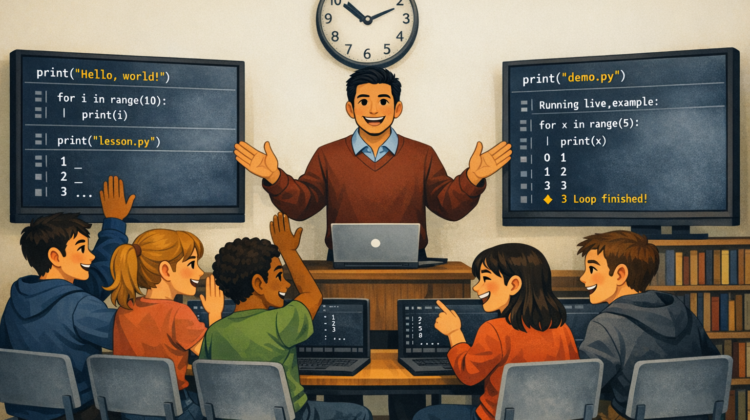
Live coding—where instructors write and execute code in real time while verbalising their thinking—has become an increasingly prominent teaching strategy in STEM disciplines, particularly computer science. It is typically framed as an active learning method that exposes students to authentic problem-solving, debugging, and iterative development practices. This paper reviews the effectiveness of live coding in higher education, with a focus on structured pedagogical models and scalable approaches suitable for large, campus-based cohorts.
Carlos Avendano – Chemical Engineering
Firstly, can you provide a bit of context to what and who you are teaching
I teach the 3rd year undergraduate module Catalytic Reaction Engineering, which focuses on the design of chemical reactors. The primary aim of the unit is to provide students with the theoretical and computational tools required to design and analyse industrial reactor systems.
During the first four weeks of the module, students learn the theoretical basis of reactor design equations. In the subsequent part of the course, which I lead, students focus on solving and implementing these equations computationally using either Python or MATLAB. The module is currently transitioning towards Python as the primary programming language; MATLAB is still supported this year, but the next academic year will be the final instance in which MATLAB is used.
The cohort consists of approximately 150 on‑campus students, alongside an additional 20 students undertaking industrial placements.
Do the Students have prior knowledge of Coding?
Students enter this module having already been introduced to the fundamentals of programming in Year 1, Semester 1. Historically, this foundation was delivered using MATLAB. However, from the current academic year onwards, Python is the sole programming language taught in Year 1.
As a result, there is an ongoing transition period in the curriculum. While the move towards Python is intentional and well aligned with current industry and academic practice, it necessarily requires a gradual shift away from MATLAB to ensure continuity and support for students who were initially trained in MATLAB. This is the reason the transition within the Catalytic Reaction Engineering module is proceeding at a measured pace.
Why do you run a Live Coding sessions as opposed to a Lecture & Tutorial type format? If not super focussed on Live Coding, how did you decide on the format of teaching and why does it work well for teaching coding?
In terms of delivery, I run one live coding session during the module. The remaining teaching is delivered through a combination of hands‑on tutorials in the computer cluster and recorded demonstrations, in which I show students how to implement the reactor models computationally.
Over time, I have observed that students mostly rely on the written teaching materials as their primary reference, rather than revisiting recordings extensively. For this reason, I have a bit more time to design the notes and codes.
To encourage active engagement, I only release the complete, correct codes after each tutorial. Prior to the tutorial sessions, students are provided with partial code templates, which give them a starting point.
What are the main skills you expect students to learn throughout the Live Coding sessions?
The main difficulty students face is in understanding the underlying logic of programming, rather than the syntax of the language itself. Although students are introduced to programming in Year 1, these skills are not used extensively during Year 2, which means many students have forgotten a significant portion of what they previously learned by the time they reach this module.
As a result, students often initially lack confidence when returning to computational problem‑solving. However, once they grasp a small set of core programming concepts and simple numerical methods, they tend to regain confidence quickly and become more comfortable working with the programming language.
How are you assessing your students?
In the final week of the module, I present students with a completely new problem statement, which they are required to solve computationally over the course of one week. To support them during this phase, I provide a partial reference result, enabling students to verify that their code is functioning correctly without revealing the full solution.
Following this preparation period, students complete an online test in which they must use the code they have developed to answer a set of quantitative questions. As part of the assessment, students are also required to modify their existing code to complete specific additional tasks. This approach ensures that students cannot rely solely on memorised scripts; instead, they must demonstrate a genuine understanding of how their solution works and how it can be adapted to new scenarios.
Overall, this assessment design encourages students to engage deeply with both the computational logic and the engineering principles underlying the problem they have solved.
How do you plan each session? Do you pre-write code or improvise? How do you incorporate theory and background into the sessions
For the live coding session, I develop the entire programme from scratch during the class. I have found that when students are shown a complete, pre‑written code, they often struggle to understand the underlying logic and structure of the solution. Building the programme step by step in real time allows students to follow the reasoning behind each decision and better understand how the different components of the code fit together.
For the subsequent computer‑cluster tutorial sessions, students are then supported with structured written materials, which they can use as reference while practising and extending their solutions independently.
What programming tools or environments do you use for live coding? How do you ensure all students have a consistent set up? Do you provide support for students who may not have used these tools before?
All computational work in the module is carried out using Python and MATLAB. MATLAB benefits from having its own dedicated, self‑contained development environment, which many students are already familiar with. Python, by contrast, can be used through a variety of different interfaces, which can be confusing for some learners.
To address this, I actively encourage students to use Jupyter notebooks via Google Colaboratory (Colab), an online platform developed by Google. This provides a consistent, browser‑based environment that removes the need for local installation and configuration. Students only require a Gmail account to access the platform, and in practice it has proved to be a very effective and accessible solution for teaching Python programming.
How do you ensure each student has a consistent set-up?
We do all tutorials in the computer cluster, but we try to use Google Colab as much as possible since this Python distribution has all the libraries necessary for solving the problems. For those using MATLAB, the platform is available on all the machines in the computer cluster. The issue with MATLAB, however, is that students cannot use it at home without a license.
What is the room set up in a live coding session (e.g. flat room, students on laptops or cluster, teachers code on projector/2nd monitor), are students working in groups/duo’s/individually? Do you have GTA support – if so what role do they play in the sessions
I use a standard lecture theatre. I do not have support from the GTAs in the live session but I have GTA support during the tutorials.
How do you pace the sessions? Are students working at the same time as you or do you split the sessions to instructor led then student led sections. How do support the mixed abilities within the classroom?
During the tutorial sessions, I normally sit with the students that struggle the most with programming, while I let the GTAs work with the students who understand programming and their main questions are related to the material.
What is your approach to trouble-shooting & de-bugging? Do you purposefully introduce errors? How do students react when their own coding doesn’t work.
The codes that they need to write are relatively simple, probably no more than 50 lines so it’s normally quick for me to find the errors. Most of the issues, however, are when students, rather than programming in the style I show them, use AI tools for writing their programs in a more convoluted way. I normally sit with the students in the tutorial session to debug their code. The student also get the correct codes so that they can compare with their own implementation.
What is the biggest challenge you face when Live coding? How have you modified your approach to live coding since you started these sessions?
The main issue is that not everybody has access to a personal device during the session. That is the reason why I also have the recordings so that they can work on their own time.
What advice would you give for someone interested in starting live coding to support their teaching?
I have found that Jupyter notebooks are one of the most effective tools for teaching programming, as they allow students to run code incrementally, line by line. This immediate feedback helps students better understand how the code behaves, in contrast to writing long scripts and only discovering errors at the end. By interacting with the code as it is developed, students gain a deeper understanding of the underlying logic and gradually build confidence in their programming skills.
In addition, I design problem sets so that they consistently rely on the same libraries and implementation patterns. This repetition reduces cognitive overload and allows students to focus on problem-solving rather than tooling, making the learning process progressively easier and more intuitive over time.
Thanks to Carlos for sharing his experiences
The Pedagogical Value of Live Coding – Overview
The Pedagogical Value of Live Coding – Case Study: Computer Science
The Pedagogical Value of Live Coding – Case Study: Civil Engineering
The Pedagogic Value of Live Coding – Case Study: Physics and Astronomy