The Pedagogic Value of Live Coding: Case Study – Physics & Astronomy
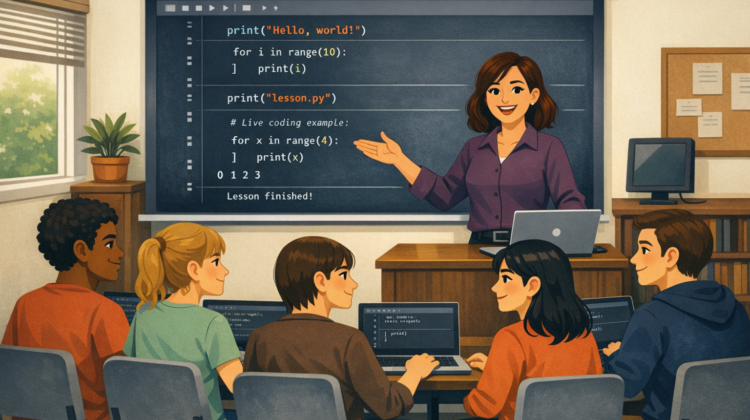
Live coding—where instructors write and execute code in real time while verbalising their thinking—has become an increasingly prominent teaching strategy in STEM disciplines, particularly computer science. It is typically framed as an active learning method that exposes students to authentic problem-solving, debugging, and iterative development practices. This paper reviews the effectiveness of live coding in higher education, with a focus on structured pedagogical models and scalable approaches suitable for large, campus-based cohorts.
Dr Michaela Queitsch-Maitland & Dr Andrina Nicola – Physics & Astronomy
Firstly, can you provide a bit of context to what and who you are teaching
We teach the Introduction to Programming unit, which is designed to equip first-year undergraduate physics students with Python programming skills that they will need throughout their degree and beyond. The cohort is approximately 330 students.
The unit consists of one lecture per week, which combines theory with live coding, followed by a weekly programming lab. The lab operates as a drop-in session where students can work on quizzes or assignments using lab computers and ask questions to available demonstrators (course leaders and GTAs).
Do the Students have prior knowledge of Coding?
There is a wide range of prior experience among students. Some have studied coding before (e.g. through Computer Science A-levels or independent learning), while others have no prior exposure at all. The course is therefore designed to start from first principles and assumes no prior knowledge, although the learning curve becomes relatively steep as the unit progresses.
Why do you run a Live Coding sessions as opposed to a Lecture & Tutorial type format? If not super focussed on Live Coding, how did you decide on the format of teaching and why does it work well for teaching coding?
While we do not run dedicated live coding sessions, we incorporate live coding into lectures to increase engagement and create interactive learning opportunities. This allows us to demonstrate examples in real time, respond to student misunderstandings as they arise, and model authentic programming practices such as debugging.
We complement this with Mentimeter quizzes to gather rapid, anonymous feedback on student understanding. For example, we may ask students to predict the outcome of a code change, collect responses, and then run the code to reveal the result. This approach works particularly well for large cohorts, as it encourages participation without requiring students to speak up individually. Especially in the second part of the course, which is more focused on concepts, we also try to ask direct questions to the students e.g. questions about how they would implement a particular problem, or why a given situation might prove tricky.
What are the main skills you expect students to learn throughout the Live Coding sessions?
Through live coding, we aim to develop students’ understanding of core programming concepts, as well as practical skills such as reading and interpreting code, predicting outputs, debugging errors, and developing problem-solving strategies. We also aim to build confidence in approaching unfamiliar problems and thinking like a programmer.
How are you assessing your students?
We use a combination of formative and summative assessment.
There are seven weekly Canvas quizzes, each with a practice and an assessed component, based on lecture topics. These are primarily formative and are designed to reinforce concepts and provide hands-on experience with new material.
The summative assessment consists of two coursework assignments. The first (15%) provides an opportunity for early feedback on programming skills. The second (50%) is a larger assignment that assesses students’ understanding of programming concepts, code quality, and problem-solving ability, typically in the context of a physics application (e.g. fitting models to data and producing plots).
How do you plan each session? Do you pre-write code or improvise? How do you incorporate theory and background into the sessions
We prepare interactive Jupyter notebooks for each lecture, combining theoretical explanations with example code. During the session, we work through these materials, modifying code in real time to demonstrate how changes affect outputs, and responding to student questions as they arise. Especially in the second part of the course, we focus more on the theory in the lecture and illustrate the concepts with practical examples. All code is pre-written and there is no improvisation.
What programming tools or environments do you use for live coding? How do you ensure all students have a consistent set up? Do you provide support for students who may not have used these tools before?
We use Jupyter notebooks for lectures. In programming labs, students use Anaconda3 via the AppsAnywhere portal, which ensures a consistent Python environment and access to required packages.
We provide step-by-step guidance on Canvas for accessing this setup on university computers, as well as instructions for installing and configuring the environment on personal laptops.
How do you ensure each student has a consistent set-up?
Students primarily use computing clusters with Anaconda3 available through AppsAnywhere. We also provide details of the Python version and required packages for those who prefer to work on their own devices.
What is the room set up in a live coding session (e.g. flat room, students on laptops or cluster, teachers code on projector/2nd monitor), are students working in groups/duo’s/individually? Do you have GTA support – if so what role do they play in the sessions
In lectures, the instructor codes live on a projected Jupyter notebook at the front of a lecture theatre.
Programming labs take place in computing clusters and run as drop-in sessions. GTAs and teaching staff circulate the room to answer questions and provide support, while students work independently on quizzes or assignments.
How do you pace the sessions? Are students working at the same time as you or do you split the sessions to instructor led then student led sections. How do support the mixed abilities within the classroom?
Lectures interleave theory with worked coding examples. Students do not typically code along during lectures. An example is the lecture during which we cover git, where we explicitly encourage students to bring their laptop and create their first repo with us.
Programming labs are fully student-led and provide flexibility to support a range of abilities. Staff can offer targeted help to students who are struggling, while also engaging in more advanced discussions with those who wish to explore topics in greater depth.
What is your approach to trouble-shooting & de-bugging? Do you purposefully introduce errors? How do students react when their own coding doesn’t work.
We deliberately introduce errors during lectures to expose students to common issues and demonstrate how to interpret error messages and debug effectively. Some quizzes also include “find the bug” style questions.
When students encounter issues in their own work, they can seek support during programming labs from demonstrators.
What is the biggest challenge you face when Live coding? How have you modified your approach to live coding since you started these sessions?
Live coding has been very effective overall. One challenge is balancing clear delivery of theoretical concepts with engaging, real-time coding demonstrations.
Jupyter notebooks have been particularly helpful in structuring this balance. We have also refined practical aspects such as screen choice, text size, and syntax highlighting to improve visibility and accessibility, based on student feedback.
What advice would you give for someone interested in starting live coding to support their teaching?
We recommend exploring how similar units are delivered within the university across different departments and faculties, as well as at other institutions to gather ideas and identify approaches that align with your teaching style and student needs.
Is there anything else you think colleagues would find interesting of benefit from knowing about your teaching approach?
One key benefit of our approach is the combination of structured lectures and flexible lab sessions. This allows us to maintain coherence in content delivery while also providing personalised support and opportunities for deeper engagement during the labs.
Thanks for Michaela and Andrina for sharing their experiences
The Pedagogical Value of Live Coding – Overview
The Pedagogical Value of Live Coding – Case Study: Chemical Engineering
The Pedagogical Value of Live Coding – Case Study: Computer Science
The Pedagogical Value of Live Coding – Case Study: Civil Engineering