Beyond the digital noticeboard: different ways to use Padlet in teaching
Padlet is often associated with a simple digital noticeboard: students respond to a question, add a comment or share a resource. However, attending the Padlet UK Higher Education User Group Symposium 2026 highlighted a much broader range of possibilities for using the platform to support active, collaborative and inclusive learning.
The symposium brought together colleagues from across UK higher education to share examples of practice, frameworks and Padlet features for creating engaging learning experiences. Contributions explored uses ranging from student presentations and structured classroom engagement through to escape rooms, collaborative activities and co-design.
A particularly useful takeaway was that Padlet does not necessarily need to be the learning activity. It can instead provide the digital layer around an activity, helping participants capture, share and compare work that takes place elsewhere. This is an approach we have begun using within FSE GTA training.
Moving beyond written responses
One of the simplest ways to reconsider Padlet is to move beyond asking everyone to type an answer to a question.
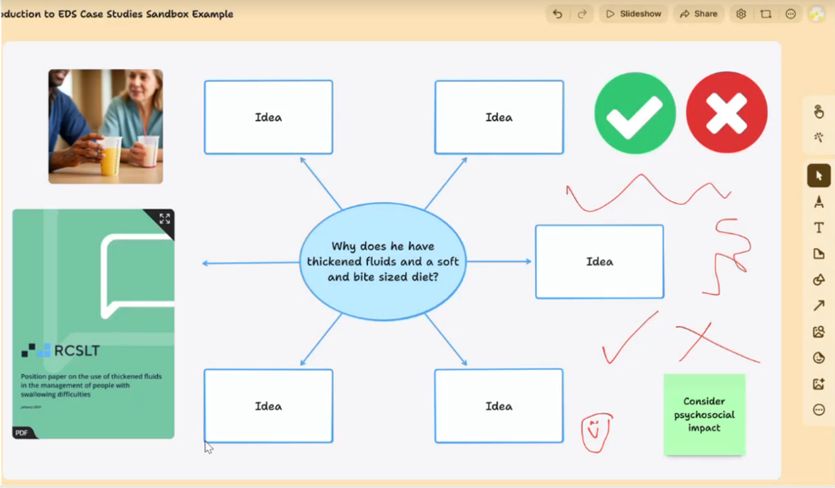
At the symposium, staff from the University of Reading shared their use of Padlet’s Sandbox format to support group presentations in Clinical Language Sciences, moving beyond traditional poster and paper-based activities.
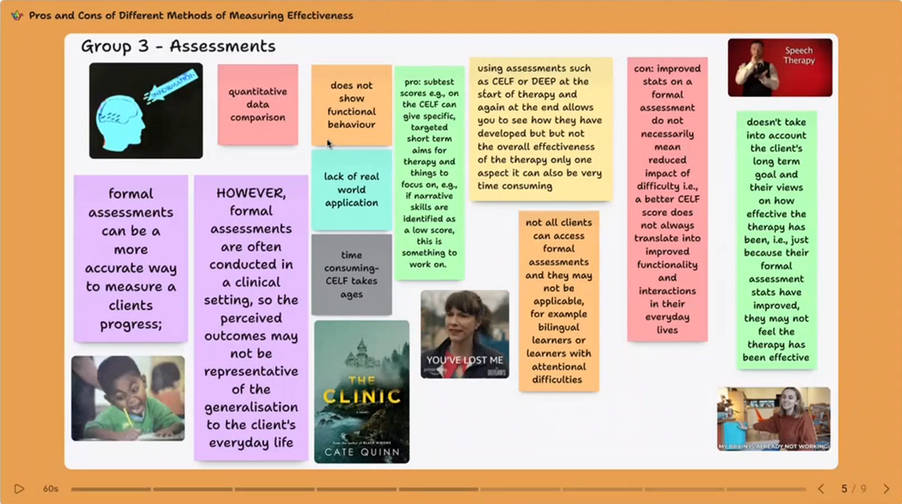
Staff observed that, because Padlet felt less than PowerPoint or Miro, students were more creative in their presentations. This raises some useful possibilities for teaching. Padlet can provide a shared space within which students create or present something, rather than simply respond to a prompt. Depending on the learning objective, this might include:
- collaborative presentations
- visual explanations of a concept
- sharing the outputs of group work
- comparing different approaches to the same problem
- bringing together contributions from different groups for whole-class discussion
The important point is to start with the learning activity rather than the technology. Padlet becomes the space through which students can make their thinking visible to each other.
Structuring participation, rather than simply asking for it
Another theme from the symposium was the importance of how a Padlet activity is designed. Jacqueline Fairbairn and Tara Lehan from the University of Reading presented a framework for scaffolding Padlet classroom engagement. Their contribution considered increasingly diverse cohorts and approaches to creating more inclusive Padlet activities. Padlet Sandboxes were also used, with a template provided for students to structure a case study as a group. Students then came together in the second half of the session to present these case studies to the entire group:
When planning an activity, it can therefore be useful to consider:
- What should learners think about before they contribute?
- Should they work independently, in pairs or in groups first?
- What exactly should they post?
- Will they review or respond to other contributions?
- How will the contributions feed into the next part of the session?
Creating more playful learning experiences
The symposium also demonstrated possibilities for more deliberately playful uses of Padlet. Staff from the University of Sussex presented an approach to turning a Padlet board into an interactive escape room, using puzzles and the platform’s design constraints as part of the activity. A sequence of Padlet boards were created, each with an activity that would lead students to uncover the password for the next Padlet. For example a multiple-choice quiz was created with Padlet Arcade, where the correct responses corresponded to the password.
While an escape room will not suit every context, the example demonstrates that Padlet can be considered as an environment through which a learning activity unfolds, rather than simply somewhere to collect responses.
For colleagues developing problem-based or scenario-based learning, this offers an interesting prompt: could students be asked to explore information, make choices, solve a problem or progress through an activity, rather than simply answer a question?
Connecting physical and digital activities
Padlet can also complement activities that happen entirely away from a screen.
We have taken this approach in the FSE GTA Roles and Expectations training. The session asks participants to consider the different expectations that students, GTAs and academic colleagues might have of the GTA role. The intended learning outcomes include comparing these different perspectives and developing an understanding of professional expectations.
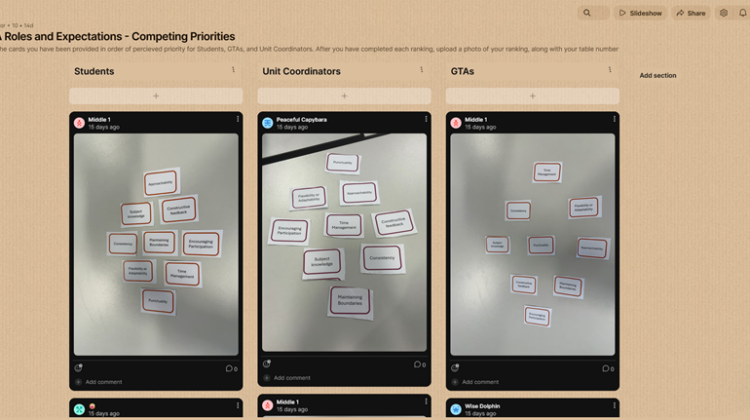
Participants work in small groups with a set of physical cards and rank nine GTA qualities into a diamond formation. They consider the exercise from different perspectives, including those of a student, a unit coordinator and a fellow GTA.
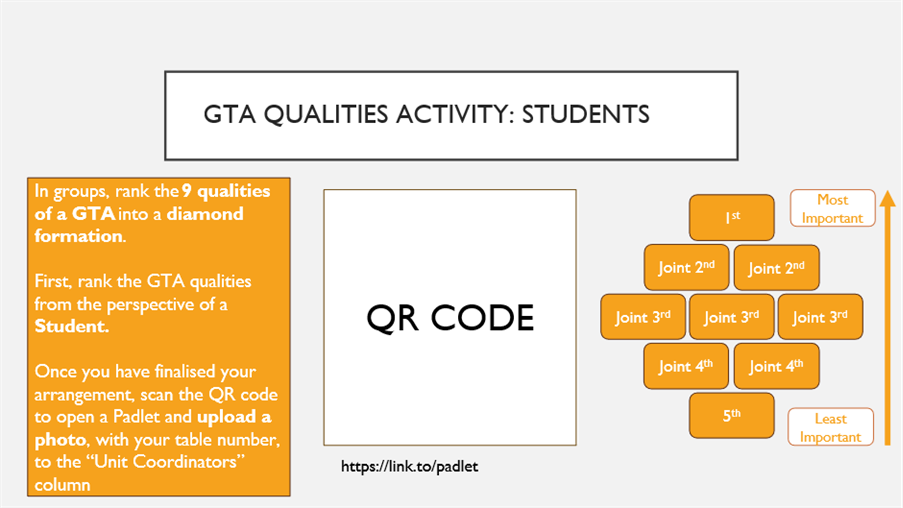
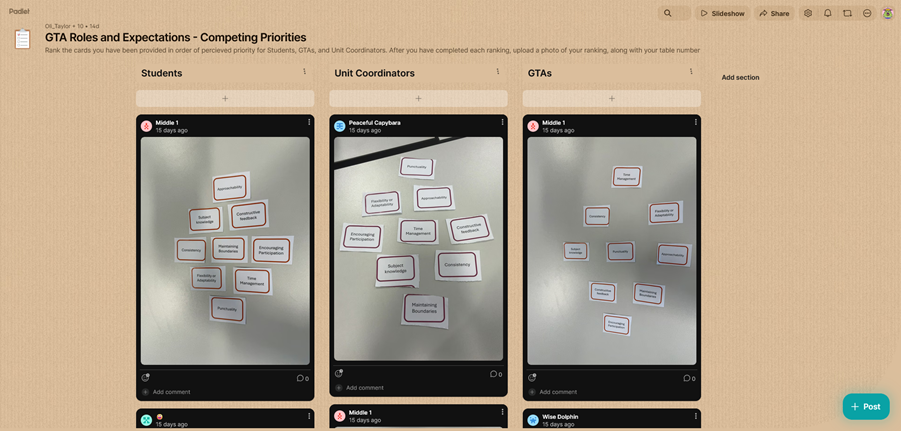
Rather than recreating the card activity electronically, Padlet is used to connect the physical activity back to the whole room. Once a group has agreed its ranking, participants scan a QR code and upload a photograph of their physical card arrangement to the Padlet.
The lesson plan specifically identifies this as a way of displaying a group’s ranking back to the room and allowing the facilitator to compare the different groups’ responses.
This creates a useful sequence:
Discuss → move and rank physical cards → photograph → upload → compare → discuss
The technology therefore does not replace the face-to-face interaction. The tactile activity encourages groups to talk, negotiate and physically rearrange their choices. Padlet then provides a way of capturing those choices and bringing multiple tables’ work together for the next stage of discussion. This increases the accessibility of the activity as different groups’ outcomes can be displayed on the screen on the room, or accessed through participants’ personal devices. A record of the outcomes can also be saved for facilitators to reflect upon at a later date, or use in a future session.
Designing the activity first
Perhaps the most useful reflection from the symposium is a simple one: start with what you want participants to do, then decide what role Padlet should play.
It does not always need to replace paper, cards, conversation or other face-to-face teaching methods. Sometimes its most useful role is connecting those activities. Padlet can act as both an additive and transformative digital technology, whichever is most appropriate.
The GTA training example illustrates this particularly well. Participants still talk to the people around their table and physically manipulate cards to reach a shared decision. Padlet then makes each table’s thinking accessible to the wider room, creating a resource that the facilitator can use to compare perspectives and continue the discussion.
For colleagues considering using Padlet, a useful starting point might therefore be to ask:
What do I want learners to think about, create, discuss or do, and could Padlet help make that learning visible and shareable?
Used in this way, Padlet becomes less of a digital noticeboard and more of a bridge between individual thinking, group activity and whole-class learning.
The University of Manchester holds a site licence for Padlet. Request a Padlet Licence Here [MS Forms]
If you are interested in seeing how Padlet is used HE, consider joining the Padlet HE Users Group on JISCMAIL, PADLETHEUSERS@JISCMAIL.AC.UK