
Adding AI Assessment Categories to Canvas: Reminder for FSE Staff

As we prepare for Semester 1, all FSE staff are asked to ensure that the AI category for each summative assessment is clearly visible to students on Canvas by 14 September, when Semester 1 Canvas pages go live.
Students should be able to find the AI category and related guidance in the Assessment and Feedback area of Canvas. This information should be easy to locate, clearly worded and consistent across assessments.
The aim is to make sure students understand how AI may or may not be used before they begin their assessments, and know where to find further support if they need it.
It is particularly important that expectations are explicit, so students understand exactly what is required of them, what AI use is allowed, and what AI use would be inappropriate before they start their work.
Key Message
Make the AI category visible to students on Canvas. Students need clear, practical and assessment-specific information about permitted AI use, prohibited AI use and where to get support.
Action required
Please review the Assessment and Feedback area of each relevant Canvas page and ensure that the following information is included as a minimum:
- The AI category for each summative assessment;
- What AI use is permitted;
- What AI use is not permitted;
- A signpost to student support for digital skills and responsible AI use.
Where to add the information
The AI category and related guidance should be added to the Assessment and Feedback area of Canvas, giving students one clear place to check expectations before and during their assessment preparation.
If a unit has several assessments and limited space on the Assessment and Feedback page, please include the most important information about what AI use is permitted and not permitted, and signpost students to further assessment-specific guidance where needed.
The specific AI category for each summative assessment must be clearly visible to students.
Examples of the policy in units
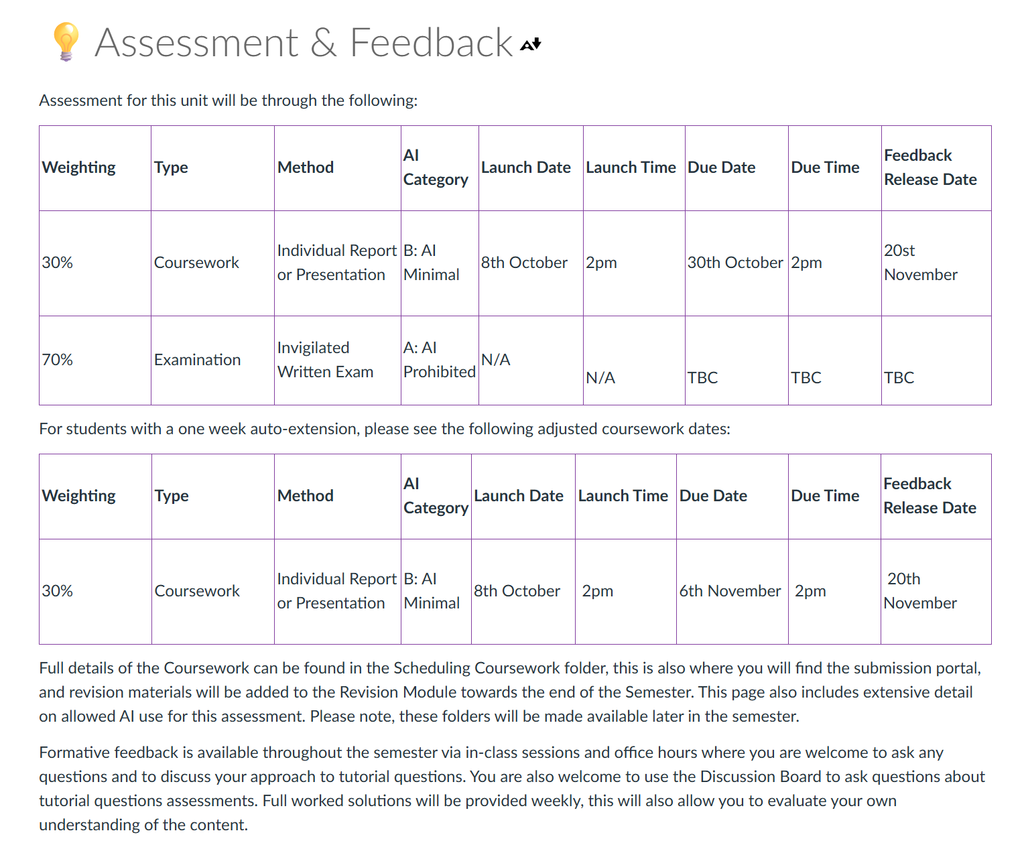
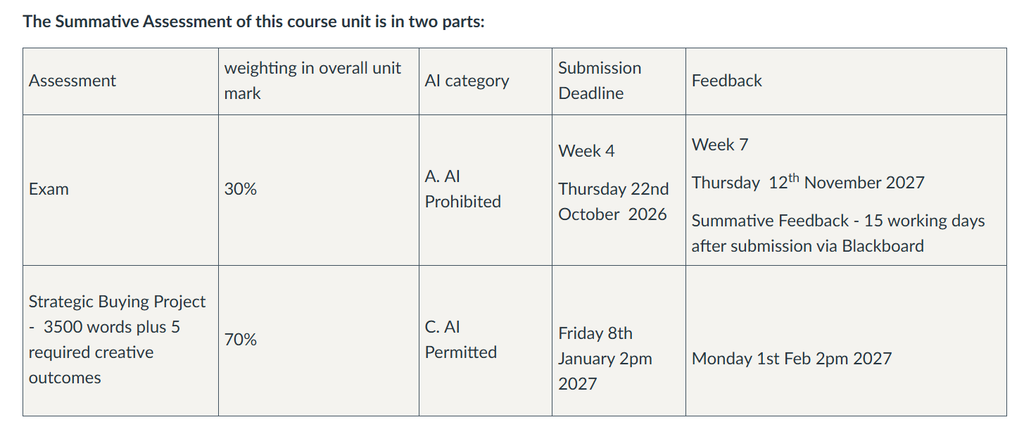
Please see examples below of how the Assessment and Feedback page can illustrate this information to students:
CHEN33321/CHEN30321 Assessment Overview Example
FBTE34571 Assessment Overview Example
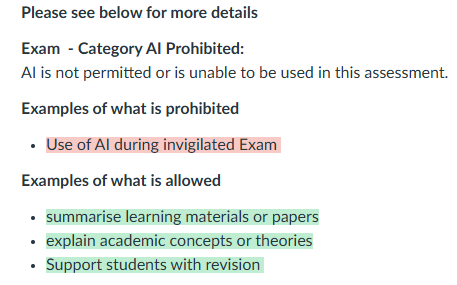
FBTE34571 Exam: Category A (AI Prohibited)
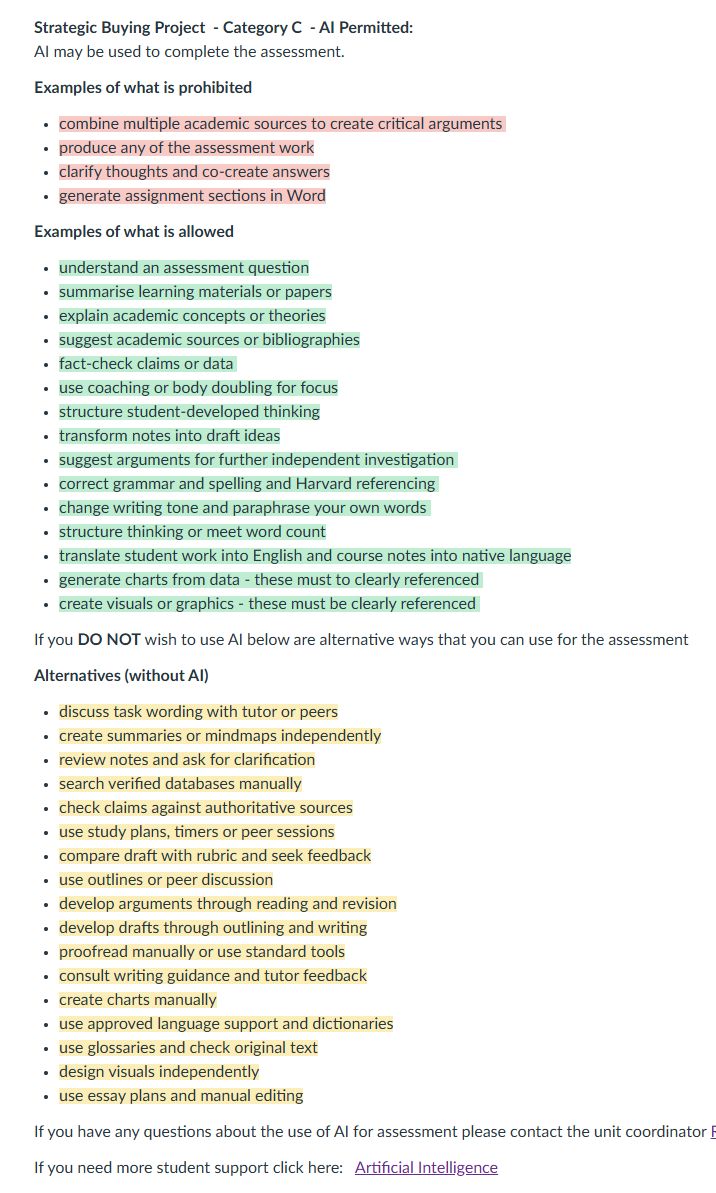
FBTE34571 Coursework: Category C (AI Permitted)
Support and further guidance
Support is available to help staff develop clear permitted and not permitted AI use wording for students. Please refer to Applying AI policy: what to communicate to students? for examples of assessment-specific wording.
Students should also be signposted to relevant digital skills support, including Library support for digital skills, where appropriate.
If you need support of what to communicate to your students use the AI online tool to help generate wording Apply the AI policy: assessment tool.
Related Articles on AI Assessment Policy
Applying the University AI Policy to Assessments: Guidance for FSE Staff
Communicating AI Assessment Guidance to Students: Reminder for FSE Staff
AI Policy: Use Official Sources to Stay Current and Support Students